




















Enroll
Bring People In Automatically
Add people when they join an Involvement or match a saved search, or add them by hand.

TouchPoint’s Process Builder leverages dynamic church workflow automation to streamline essential tasks, giving ministry leaders more time for relational care, meaningful follow-up, and deeper discipleship.
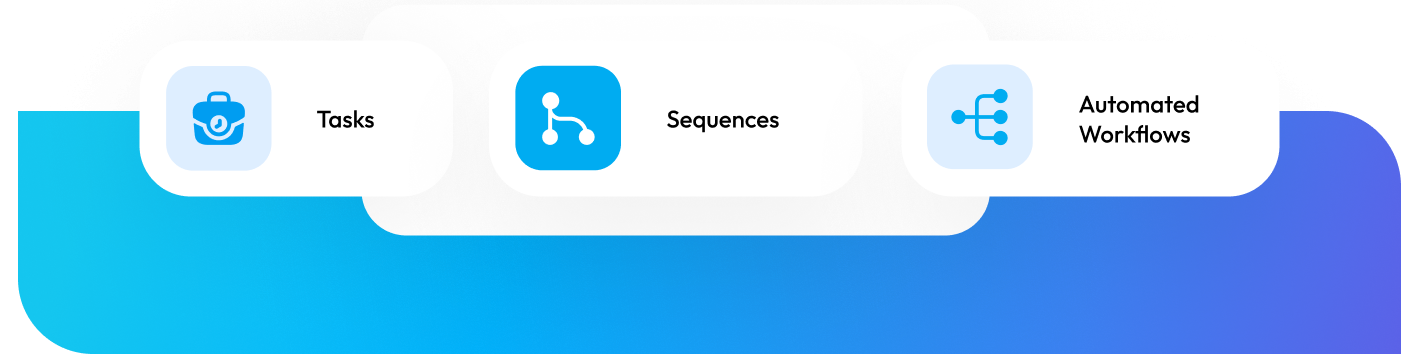
Set what starts a process, what happens at each step, and who owns the follow-up. TouchPoint handles the routine work and shows who needs a personal touch, so your team spends less time tracking and more time with people.


Add people when they join an Involvement or match a saved search, or add them by hand.
Create as many processes as you need. Steps can complete on attendance, a joined Involvement, a note, a finished task, or elapsed time.
Assign a task with an owner and a due date. When it's marked complete, the person can move to the next step.
Send email templates and texts at each step, right away or on a delay.
Track each person's progress, last activity, and days on the current step. Days turn red past your ideal time.
Update roles and Involvements as people move, log notes on their record, and control who sees each process.
The Process Builder gives you a clear overview of your team’s processes, so you can track progress and identify areas for improvement. Whether you are an executive pastor, database admin, volunteer coordinator, or serving in the countless other essential ministry roles at your church, TouchPoint’s premier workflow automation is a powerful tool to save you time and free you up to focus on what matters most.

Connect an approved AI assistant to TouchPoint and ask, in plain language, who’s stalled in a process. From the same conversation, you can enroll a first-time guest, mark a step complete, or create a follow-up task for a leader. Your team still has the conversation. AI helps you see who needs one.
I found 12 people with a real change in the last 90 days. Here are the 5 to reach first, what changed, when your staff last connected, and a personal next step for each. Nothing is assigned until you approve it.
 Care Check-Ins · 12 people could use a personal touchCreate care tasks
| Person | What changed | Last contact | Next step |
|---|---|---|---|
| RHRobert Hayes | Stepped off the usher team · no attendance since | 2 mo | Personal callPastor Mike |
| LBLena Brooks | Left Wednesday Women · new address on file | 6 wk | Coffee check-inGroup leader Amy W. |
| DCDaniel Cole | Kids team serving went from weekly to none | 5 wk | Personal callPastor Mike |
| MTMaria Torres | Missed 4 group nights · new job on file | 4 wk | Note from her leaderGroup leader Sam P. |
| NFThe Nguyen family | New baby added to family | 2 wk | Bring a mealCare team |
Our consultants can help you map your ministry paths and set them up inside TouchPoint. You’ll work with a U.S.-based team, many of whom have served on church staff, with no call centers or generic queues.
Discover How Process Builder’s Church Workflow Automation Can Transform Your Ministry Today.
Church workflow automation turns repeatable ministry processes into defined steps that move people forward without staff tracking everything by hand. Examples include first-time guest follow-up, membership classes, and volunteer onboarding. In TouchPoint, Process Builder lets each ministry build its own processes, assign who manages them, and see exactly where every person is in the journey.
Process Builder works for any ministry process with clear stages: guest follow-up, new member assimilation, volunteer onboarding, pastoral care, and staff or leader onboarding. As people move through each stage, your team can add or remove them from involvement groups, change roles, set deadlines, and keep notes, so nothing depends on someone’s memory or a spreadsheet.
Process Builder makes sure every first-time guest hears from a real person, not just an inbox. You can trigger a welcome email or text when someone enters the process, but the step that matters, like a call, a coffee, or a group invitation, has an owner and a deadline, so staff can see who hasn’t been contacted yet. It pairs with TouchPoint’s guest services and follow-up tools to connect a first visit to a next step.
Your church decides who can create, manage, and view each process. Administrators and staff with the process management role can build and edit processes. Other users can be given view-only access, and individual processes can be limited by role, so sensitive workflows like pastoral care stay with the right people.
Staff can see a person’s progress in two places: on their individual record and on the dashboard for each process. Leaders can spot who is moving forward, who is stuck at a stage, and which steps need attention, without exporting lists or chasing updates in email.