

















Prayer is central to church life, and having a place where members can both request and respond to prayer is an essential way to cultivate spiritual support. With the Prayer Feed in the TouchPoint church Mobile App, churches can encourage ongoing prayer engagement throughout the week—well beyond Sunday mornings.
When enabled, the Prayer Feed allows users to submit prayer requests directly within the app. Individuals may include their name or choose to remain anonymous, giving them the freedom to share what’s on their heart comfortably. Each submitted request appears in a shared feed where other churchgoers can view, pray, and indicate that they’ve prayed—all from their mobile devices.
Churches may also opt to include an approval process, reviewing prayer requests before they are made visible in the app. This gives administrators and pastors the ability to moderate content, provide additional pastoral care, and maintain the integrity of the platform.
This feature provides a simple yet impactful way for members to lift one another up in prayer, creating an active and visible expression of care within your church’s app environment.
Key Practices For Your Prayer Feed:
- Enable The Prayer Feed In Your Church Mobile App Settings
- Allow Members To Submit Requests With Or Without Names
- Optionally Activate A Review Process For Prayer Request Approval
- Encourage Regular Prayer Participation Through The App Feed
TouchPoint’s Prayer Feed offers an easy-to-use, intentional space to foster spiritual connection and support within your community.
Looking For More Information On TouchPoint’s Customizable Mobile App?
Explore more best practices for managing your church Mobile App and elevating engagement with TouchPoint:
- Other Interesting Reads: Transforming Your Ministry Engagement With A Powerful Church Mobile App
- Resources: TouchPoint Software Documentation
- Training Videos: TouchPoint Software Training Library
- Need personalized support? Contact our Consulting Team at [email protected]
Helping your congregation stay connected throughout the week is a key part of community-building. With Mobile App Directories in TouchPoint, churches can offer secure, convenient access to contact information and group connections—all within the church’s mobile app.
Directories allow churches to create custom lists for specific groups or church-wide connectedness. Many churches use directories for adult fellowship groups, women’s Bible studies, semester-long classes, mission trips, or a full church-wide picture directory.
A key component of directories in TouchPoint is privacy control. Churchgoers can control exactly what information is visible. They can choose to display full contact details within a small group, while opting to only show their name and photo church-wide. This approach gives members peace of mind and ensures that no more information than intended is ever shared.
Mobile Directories Key Practices:
- Create Directories By Group, Ministry, Class, or Full Church Membership
- Allow Users To Configure Their Own Privacy Settings By Group
- Empower Community-Building While Respecting Individual Privacy Choices
TouchPoint Directories are a practical tool to strengthen ministry connections while maintaining full respect for privacy.
Looking For More Information On TouchPoint’s Customizable Mobile App?
Explore more best practices for managing your church’s Mobile App and enhancing security with TouchPoint:
- Resources: TouchPoint Software Documentation
- Training Videos: TouchPoint Software Training Library
- Need personalized support? Contact our Consulting Team at [email protected]
Effective communication is essential to keeping ministries running smoothly and members engaged. With Channels in the TouchPoint Church Mobile App, your church can establish consistent, focused communication without relying on social media platforms or general-purpose tools.
Channels are customizable spaces within the app where church leaders can post content, updates, and reminders tailored to specific ministries or events. Whether it’s Kids Ministry, College Ministry, or Vacation Bible School, each area can have its own dedicated space—making it easier for churchgoers to stay connected with what matters to them.
Churches commonly set up one channel per ministry or group. These can be public—visible to all app users—or private, designed for select audiences like leadership teams or small groups.
To keep communication consistent, we recommend assigning a channel manager to each group. A simple rhythm like one post per week per channel ensures your app stays active and relevant without overburdening your team.
This feature is unique to TouchPoint. Unlike many church mobile apps that simply mirror a website, TouchPoint Channels offer a more personalized, interactive experience for the end user, allowing churches to meet members where they are and communicate in a more engaging, meaningful way.
Key Practices:
- Set Up One Channel Per Ministry Or Event
- Assign A Channel Manager To Post Weekly
- Use Private Channels For Leadership Or Sensitive Content
- Leverage The App As A Direct, In-Pocket Communication Tool
By using Channels effectively, your church can streamline communication, reduce reliance on social platforms, and foster stronger engagement across ministries.
Looking For More Information On TouchPoint’s Customizable Mobile App?
Explore more best practices for managing your church’s Mobile App and enhancing security with TouchPoint:
- Resources: TouchPoint Software Documentation
- Training Videos: TouchPoint Software Training Library
- Need personalized support? Contact our Consulting Team at [email protected]
In the opening chapter of Numbers (1:18), God instructs Moses to count the people of Israel—by name, by family, and by tribe. While it may read like a simple census, this act was deeply spiritual. It was a demonstration of intentional stewardship, to know people by name. As emphasized in our recent TouchPoint webinar, Strengthening Check-In Strategies, this passage lays a powerful foundation for how churches can approach ministry data today—with care, purpose, and a heart for discipleship.
Our discussion focused on a crucial tool: the Church Check-In feature. When Check-In is used in other ways to strengthen connections and discipleship, it becomes a pathway to meaningful engagement, timely follow-up, and compassionate shepherding.
Throughout the webinar, Marketing’s Hayley & Matt walked us through not just the how, but the why behind using Check-In as a ministry tool. They shared stories, practical tips, and biblical insight that reframed Check-In as an act of hospitality and care, especially for new families and those on the margins of connection.
Church Check-In Strategies:
- The Biblical Basis For Data Stewardship, Inspired By Numbers 1:18
- Creating A Stress-Free Family Experience
- Strengthening Engagement Using Check-In
- Using Attendance Data For Discipleship Opportunities
- Broader Use Cases For Check-In
This session reminded us that data isn’t about numbers—it’s about people. When your systems reflect the values of your ministry, they become an extension of your pastoral care.
Whether you’re new to TouchPoint or looking to deepen your existing strategies, this webinar offers a thoughtful and ministry-aligned perspective on how technology can enhance your mission. We encourage you to watch the recording, share it with your team, and begin rethinking how Check-In can serve as a tool for connection and care.
Additional resources you may enjoy: Church Check-In: Essential Strategies for Security, Efficiency, and Growth
Join us monthly for our webinars!
Creating a great Check-In experience for guests and families is key to a smooth and welcoming Sunday morning. TouchPoint’s Recommended Involvements feature, part of its intelligent Load Balancing tool, is designed to do just that—simplify classroom assignment while reducing stress for Check-In volunteers.
This TouchPointer highlights how churches can streamline operations by combining manned Check-In stations for guests with self Check-In kiosks for regulars. This setup helps get everyone to their classrooms quickly while still maintaining a friendly, helpful environment for new visitors.
The Recommended Involvements feature intelligently suggests classes based on one of two settings:
- Capacity-Based: Fills one classroom at a time, moving to the next when the current one is full.
- Least Attending: Evenly distributes check-ins by showing the class with the fewest attendees first.
This ensures classroom sizes remain balanced and manageable while helping volunteers avoid guesswork.
What Recommended Involvements Support:
- Smart Classroom Suggestions For Efficient Check-Ins
- Balances Room Sizes Automatically In Real Time
- Reduces Decision-Making For Volunteers
- Enhances Guest Experience At Manned Stations
And remember—high-traffic guest areas are best handled by experienced volunteers. First-time volunteers are better placed in supporting roles where the pace is lighter and guidance is more structured.
Looking For More Information On Check-In?
To explore more best practices for managing Check-In and safety with TouchPoint, be sure to:
- Need personalized support? Contact our Consulting Team at [email protected]
- Related Articles: Church Check-In: Essential Strategies for Security, Efficiency, and Growth
- Resources: TouchPoint Software Documentation
- Training Videos: TouchPoint Software Training Library
When Broadmoor Baptist Church in Mississippi made the decision to transition away from their aging church management system, they weren’t just looking for better software—they were searching for a ministry tool that could support their growing congregation, improve data accuracy, and enhance the Sunday experience for everyone from first-time guests to seasoned members. What they found in TouchPoint was more than a platform. It was a strategic partner that empowered their vision to know and be known.
The Road To Implementation
Broadmoor is no small church. With over 5,000 members and roughly 2,000 in weekly worship attendance, the church needed a system robust enough to handle complexity while flexible enough to meet ministry-specific needs. Kathy Morgan, who brought years of software experience into her role at Broadmoor, knew from day one that their current solution wouldn’t support long-term ministry goals.
After attending TouchPoint Summit in Chicago in 2023 and evaluating other vendors, the team at Broadmoor unanimously agreed—TouchPoint wasn’t just the best option, it was the right one.

Laying The Foundation: A Culture Of Data And Ministry
One of the first major initiatives following implementation was to fully integrate TouchPoint’s Check-In functionality. But this wasn’t just about printing name tags. For Broadmoor, checking in was about reshaping the way their church family connected—with staff, with each other, and with ministry opportunities.
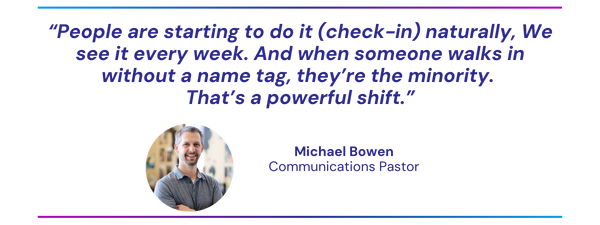
Michael Bowen, who oversees communications and is part of the church’s creative arts ministry, explained that building a culture of checking in started with casting vision.
“At the end of the day, it’s about ministry. Yes, it’s just a database. Yes, it’s just a tool. But if the data is accurate, it helps us make better decisions.”
The team approached implementation with intentionality: instead of training staff on a generic sandbox, they trained using real Broadmoor data. Real people, real groups, real processes. This made adoption easier and gave staff confidence that the system would support—not complicate—their workflows.
Creating A Culture Shift

The heart of Broadmoor’s Check-In success lies in its cultural transformation. Historically, Check-In was limited to next-gen ministries for security tags. But with TouchPoint, Broadmoor began encouraging every attendee to check in, regardless of age or ministry involvement.
Check-In kiosks were strategically placed at main entrances and ministry areas, and the team prioritized ease of use and reliability. They opted to hardwire all stations to prevent the risk of Wi-Fi disruptions.
In just four weeks, Broadmoor saw nearly 70% of worship attendees checking in—a staggering achievement for a church that hadn’t emphasized Check-In in over a decade. That number recently rose to 72%.
The TouchPoint Team: Personal Touch Meets Strategic Support
To reinforce checking in, Broadmoor created a “TouchPoint Team” of volunteers and staff who manned kiosks each Sunday. These team members served a dual role: helping people navigate Check-In while also capturing feedback for ongoing improvement.
As Kathy noted, even less tech-savvy members found the new system easier than the previous one—and that’s no small win.
Staff were expected to serve during key windows, which not only provided Sunday morning support but also kept leadership engaged in the process. That visibility reinforced the church’s commitment to making checking in a part of their culture, not just a task.
And for guests who weren’t in the system? They got added into the database! As Kathy described, one man who had intentionally stayed under the radar for years finally asked for a name tag. “To catch you, I need your phone number,” Kathy told him. That simple interaction showed how Check-In was bridging the gap between anonymity and belonging.
Staff Engagement And Training
What made Broadmoor’s implementation so successful wasn’t just infrastructure—it was the engagement of the entire staff. Kathy sent out a daily “My TouchPoint Tip of the Day,” helping staff learn their new church management software in bite-sized, approachable ways. From updating profiles to searching birthdays, each tip was designed to make TouchPoint approachable and practical.
To cap off training, the team organized a TouchPoint scavenger hunt—a creative, interactive way to get staff exploring the system and learning by doing.
And the results speak for themselves. More than 380 members have already updated their profiles, including photos and contact information. Members are not just passively existing in the database—they’re actively participating in its accuracy.
Moving Forward: Next Steps
Broadmoor is already thinking ahead. Their team is exploring more efficient ways to process first-time guests, especially those who may not make it to the welcome desk. iPads with simplified forms may soon be deployed to help volunteers input guest info more quickly.
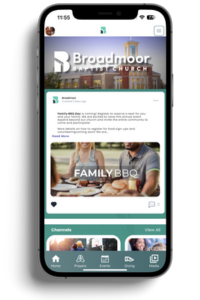
Broadmoor’s Church Branded Mobile App is also on the horizon. While it’s not live yet, the team is using this time to build anticipation and keep the momentum going. Once released, the app will add another layer of convenience, allowing families to Pre Check-In from their phones and streamline their Sunday mornings even further.
The Strategic Value Of Check-In
For Broadmoor, Check-In isn’t about tracking attendance. It’s about intentional ministry. It’s about making sure no one falls through the cracks. It’s about stewarding the people God brings through their doors.
As Michael put it, “Churches have historically made decisions based on anecdotal evidence. TouchPoint helps us be more strategic. But we had to set it up to win—it doesn’t do the work for you.”
Broadmoor Baptist’s journey with TouchPoint is a compelling example of how the right tools, paired with the right vision, can lead to cultural transformation. Their story reminds us that software isn’t just a system—it’s a ministry partner when deployed with purpose.
Managing member access to your facility shouldn’t be a hassle—and with TouchPoint’s Building Check-In, it isn’t.
In this TouchPointer, Hayley introduces a simple yet powerful way to manage building access using Building Check-In. Designed primarily for locations like gyms, activity centers, and community spaces, this feature ensures quick and seamless entry while providing real-time visibility for attendants.
When members arrive, they can easily enter all or part of their phone number at the kiosk, select the activities they’re attending, and proceed inside. While the system logs previous check-ins, it’s important to note that Building Check-In is not designed for attendance tracking—its main goal is to facilitate smooth entry and access.
From streamlined access to real-time staff monitoring, TouchPoint’s Building Check-In delivers a smart, efficient way to manage foot traffic while keeping your community connected.
Key Benefits:
- Simple kiosk-based access for members
- Real-time activity monitoring for staff
- Effortless integration into gyms and other shared spaces
Looking For More Information On TouchPoint’s Check-In Suite?
Explore more best practices for managing Check-In and enhancing security with TouchPoint:
- Related Articles: Church Check-In: Essential Strategies for Security, Efficiency, and Growth
- Resources: TouchPoint Software Documentation
- Training Videos: TouchPoint Software Training Library
- Need personalized support? Contact our Consulting Team at [email protected]
Here’s how you can implement a Profile Ring when you’ve identified a security concern related to a person in your database at Check-In:
Step 1: Remove The Phone Number From Their Record
This step is key. In order to prevent the person from checking in through self-service stations, you’ll need to remove the phone number from their profile. If they’re part of a household, be sure to remove the phone number from all other associated records in that household as well.
**Important: This is the ONLY situation where we recommend removing data from TouchPoint.
Step 2: Add A Profile Ring Or Status Flag
With the phone numbers removed, the person will now have to check in at a manned Check-In station, where a staff member can search for their name manually. When their profile appears, the staff member will see the colored Profile Ring—a visual indicator that signals a need for special attention.
Choose a ring color that your team has designated for security-related flags. Make sure your Check-In volunteers and staff are trained on what different colors mean and how to respond appropriately.
Step 3: Document And Train Your Team
This process only works when everyone is on the same page. Train your Check-In team to:
- Know which colors correspond to which flags
- Understand how to search for a name manually
- Take the appropriate steps when a Profile Rdesdswing is present
Also, be sure to document this protocol so it’s part of your internal safety procedures.
Why This Approach Matters
This workflow not only ensures greater safety at Check-In but also respects the privacy of the individual. It prevents the person from slipping through self Check-In unnoticed while empowering your staff with the tools to act with discretion and care.
While situations that require this process may be rare, it’s important to be prepared. The Profile Ring feature offers an effective way to support your church’s security protocols—keeping your community safe and your systems consistent.
If your church hasn’t set up a protocol for using Profile Rings, now’s the time to start.
Looking For More Information On Check-In?
To explore more best practices for managing Check-In and safety with TouchPoint, be sure to:
- Need personalized support? Contact our Consulting Team at [email protected]
- Related Articles: Church Check-In: Essential Strategies for Security, Efficiency, and Growth
- Resources: TouchPoint Software Documentation
- Training Videos: TouchPoint Software Training Library
We’re excited to share that Mobile App Version 3.8 has officially been released! As part of our rollout process, the update first appeared in the Beta channel, accessible through TestFlight (iOS) or the Android beta channel.
What Churches Need To Know
Now that the update has been released in beta, it’s crucial for churches to take a moment to review their app before going fully live. This includes checking:
- Colors
- Logos
- Any branding elements
If any changes are needed, it’s far easier to catch and address them during the beta stage. Once an app is live, making corrections may take up to a week or longer due to App Store review processes.
For Churches Still In Beta
If your church is still in the beta phase:
- You’ll receive the update automatically.
- No action is needed beyond continuing your normal beta testing process.
- If you’ve been waiting for this release to go live, please contact your consultant to move forward.
For Churches With Live Apps
Once your church has reviewed and approved the new version, you have a few options:
- Request To Go Live Immediately:
- We’ll submit your app for production.
- Apple requires a review process, so while we’ll move quickly, approval can take a few days or more.
- Schedule A Future Go-Live Date:
- We can submit the app now but delay the launch until a date you specify.
- Note: It still needs to pass Apple’s review before that date.
- Opt Out Of Production Submission for Now:
- If you need to make adjustments or plan to change something that requires a new build, we’ll hold off.
Important Reminder
If we don’t hear from you within 10 days, we will begin submitting the beta version for production review automatically.
If you have any questions or need assistance with the update process, we’re here to help! Please reach out to our team at [email protected].
Volunteers are essential to every ministry, but keeping them engaged, equipped, and excited can be challenging. That’s why we hosted March’s webinar, which focused on the full volunteer journey, from initial interest to long-term involvement. Matt and Hayley of the TouchPoint Marketing team walked through a seven-step process that churches can use to build a healthy, discipleship-driven volunteer culture.
If you missed the live session (or want to revisit the ideas we shared), we’ve got you covered with a replay and a quick recap below.
Here’s What We Covered:
1. Start With Awareness
You can’t grow your volunteer base if people don’t know where help is needed. We discussed practical ways to get the word out—announcements, signage, emails, and more. TouchPoint’s Search Builder also helps you identify members who’ve never served and might be ready to start.
2. Capture And Organize Interest
Once someone raises their hand to help, the goal is to respond clearly and quickly. We showed how to use TouchPoint Registrations to capture serving preferences and availability—plus how to guide next steps using Process Builder.
3. Onboarding Done Right
From background checks to shadowing and spiritual gifts assessments, onboarding should be thorough—but not overwhelming. With our integrated tools, you can track every step and make sure no one slips through the cracks.
4. Keep Communication Flowing
Clear communication helps volunteers feel valued and informed. With features like Scheduler, profile rings, and the TouchPoint Mobile App, you can send reminders, check in regularly, and ensure everyone’s on the same page.
5. Provide Opportunities To Grow
Volunteers want to feel like they’re growing, not just filling a spot. We talked about creating leadership pathways, offering refresher training, and encouraging volunteers to explore new roles when they’re ready.
6. Celebrate The Wins
Don’t underestimate the power of a thank you. Whether it’s a handwritten note, a free cup of coffee, or a shoutout on social media, showing appreciation goes a long way in creating a culture where volunteers feel seen.
7. Check-In And Re-Evaluate
Seasons change, and so do people’s capacity to serve. Build regular check-ins into your volunteer process to help avoid burnout and to support your team’s long-term health and involvement.
Bonus: Preventing Volunteer Burnout
We wrapped things up with real talk about rest—how to schedule intentional time off, spot signs of fatigue, and make sure volunteers feel supported, not just needed.
Watch The Full Replay
Catch the full webinar replay below:
Want More Tips On Volunteer Management?
Strong volunteer coordination is key to building and maintaining a healthy volunteer culture. Discover practical tips for recruiting, scheduling, and engaging volunteers to ensure your church is ready to welcome guests and serve well.
Whether you’re leading a team of two or two hundred, we hope these strategies help you build a volunteer culture that’s organized, sustainable, and rooted in discipleship.
Additional resources you may enjoy: The Ultimate Guide To Volunteer Coordination
Stay tuned for more webinars!
As church leaders, you know that tracking engagement is key to fostering discipleship growth and ensuring no one slips through the cracks. But how can you effectively measure engagement across attendance, giving, volunteering, and other factors? In our recent webinar, Andrew Triplett, Head of Consulting at TouchPoint Software, walked us through Engagement Insights, a powerful tool for understanding the health of your congregation.
Key Takeaways From The Webinar
What Are Engagement Insights?
Engagement Insights provide a data-driven approach to measuring church involvement and discipleship. Rather than relying on assumptions, churches can track key behaviors—such as attendance, serving, and giving—to better understand trends and respond proactively with ministry.
The Five Engagement Buckets
To get a full picture of engagement, Andrew introduced five key areas:
- Membership – Who identifies as a part of your church?
- Attendance – How often do they attend services and events?
- Giving – Are they financially committed to your mission?
- Volunteering – Are they actively serving in ministry?
- Enrollments – Are they involved in life groups, Bible studies, or other church programs?
How To Use Engagement Insights To Strengthen Ministry
By setting up Engagement Insights in TouchPoint Software, churches can:
- Identify trends in engagement over time
- Spot early warning signs when someone disengages
- Use data to create personalized outreach lists
- Equip ministry teams with actionable insights to foster deeper connections
Watch The Full Webinar
If you missed the live session, you can watch below for the full webinar recap.
Looking for help setting up Engagement Insights for your church? Contact our team at [email protected] for expert guidance.
Another article you might like: Church Engagement Can Be Easy And Intentional!
How Volunteers Can Use TouchPoint
To effectively manage their groups, volunteers need access to specific features of TouchPoint’s church management database. Here’s how they can do so efficiently:
- Accessing the Database
- Volunteers log in using their credentials.
- Then, they navigate to their profile and select the Involvements Tab to view their groups.
- Viewing Group Information
- If they are a member of a group, they can see basic information.
- If they are a leader, they gain additional access to group details and member profiles.
- Managing Group Members
- Leaders may view member profiles (depending on settings).
- Additionally, they can track attendance and view reports such as the ‘Recent Absence Report’ to follow up with missing members.
- Communication & Reports
- Volunteers can send emails or texts to group members directly through TouchPoint.
- Moreover, they can generate reports using built-in tools to track engagement and participation.
By utilizing these features, volunteers and lay leaders can effectively manage their responsibilities while maintaining appropriate data security.
Why Volunteer Empowerment Matters
As Easter approaches, churches have a unique opportunity to rely more on their dedicated volunteers and lay leaders. These individuals are the backbone of a thriving church community, helping to create welcoming and organized worship experiences. By equipping them with the right tools and resources, pastors and church staff can focus more on spiritual leadership while ensuring that every aspect of church life runs smoothly. Ultimately, a well-prepared volunteer team enhances the church’s ability to minister effectively, making Easter services and events more impactful for everyone involved.
Churches thrive on community, and strong volunteer leadership fosters a sense of belonging and shared mission. Therefore, investing in your volunteers and lay leaders is crucial for several reasons:
- Easing the Burden on Church Staff: Pastors, church admins, and staff members often wear many hats, from pastoral care to event planning. Consequently, delegating responsibilities to well-trained volunteers allows staff to focus on spiritual leadership and vision casting.
- Enhancing Church Management and Organization: A church management database, such as TouchPoint, helps keep track of member involvement, attendance, and group activities. By granting volunteers the appropriate access—such as tracking group attendance or communicating with members—churches can ensure smooth operations while maintaining necessary restrictions on sensitive data.
- Improving Congregation Engagement and Care: Volunteers can keep track of attendance trends and identify members who may need follow-up or encouragement. For example, a ‘recent absence’ report allows leaders to reach out to those who have missed multiple small groups or reoccurring events, thereby strengthening pastoral care efforts.
- Fostering Leadership Growth Within the Church: By equipping volunteers with skills and responsibility, churches cultivate future ministry leaders. When volunteers feel trusted and prepared, they are more likely to take on greater roles in the church’s mission.
Equipping Volunteers With The Right Tools
A great church management system provides different levels of access, ensuring that volunteers and lay leaders have what they need without compromising church security. Fortunately, TouchPoint allows for completely customized access, creating flexibility for:
- Group Leaders: Leaders can view and manage their group’s attendance, send communications, and pull relevant reports.
- Church Admins & Pastors: Staff may maintain oversight while delegating day-to-day group management to trusted volunteers.
- General Members: Churchgoers have limited access to view their own involvement and family members’ details but cannot modify church-wide information.
Start Preparing Now For Easter
Easter is a perfect opportunity to train and empower your volunteers. As services grow in attendance, so do logistical needs. Thus, usher teams, children’s ministry volunteers, small group leaders, and hospitality teams all play crucial roles in creating a welcoming church environment.
To get started, consider the following steps:
- Identify and train key volunteers and lay leaders.
- Provide access to TouchPoint’s church database with clear guidelines.
- Encourage ongoing communication between staff and volunteers.
- Run test events or small projects to practice delegation.
By investing in your volunteers today, you ensure a smoother, more impactful Easter season—and ultimately build a stronger church community for the future.
Building A Stronger Church Community
Church leadership is a shared journey that thrives when the entire body of Christ is engaged. By equipping volunteers and lay leaders with the right tools, responsibilities, and support, you create a strong and vibrant church community. As Easter approaches, this is a wonderful opportunity to invest in your volunteers, ensuring they feel empowered to help welcome and minister to everyone who walks through your doors.
TouchPoint Consulting Team
Need support setting volunteer access? Our TouchPoint Consulting Team is available to assist with church database configuration and Check-In setup. You can email our team at [email protected].
For additional ways to enhance your Easter experience, check out our other TouchPointers and blogs!