

















Every paper form is a person waiting to be seen.
Most churches run on more paper than they realize. Connect cards are the obvious example, though they are only the beginning. Baptism requests, membership class forms, transfer letters, volunteer interest sheets, and event sign-ups all carry information someone has to type into the church database by hand.
For a large or growing church, church data entry adds up to hours every week. Every one of those hours is an hour your team is not spending with the people those forms represent.
Connect Card Capture was built with the Sunday connect card in mind. The same approach works for almost any paper form that tells you something about a person. Here is what it is, along with seven places it can lighten your team’s administrative load.
What Is Connect Card Capture?
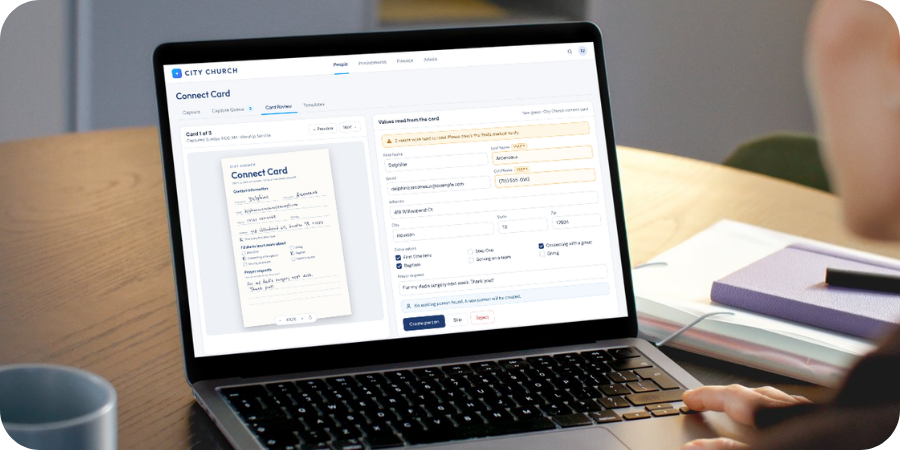
Connect Card Capture is an AI-enabled feature built into TouchPoint church management software. Your team uploads photos or scans of paper forms, and TouchPoint reads the information on each one. A staff member reviews what TouchPoint found, corrects anything that needs it, then adds a new person or updates an existing record.
Each style of form gets its own template. The template tells TouchPoint what information to look for, so a baptism form and a volunteer form are each read the right way.
7 Ways Churches Can Use Connect Card Capture
1. Sunday Connect Cards
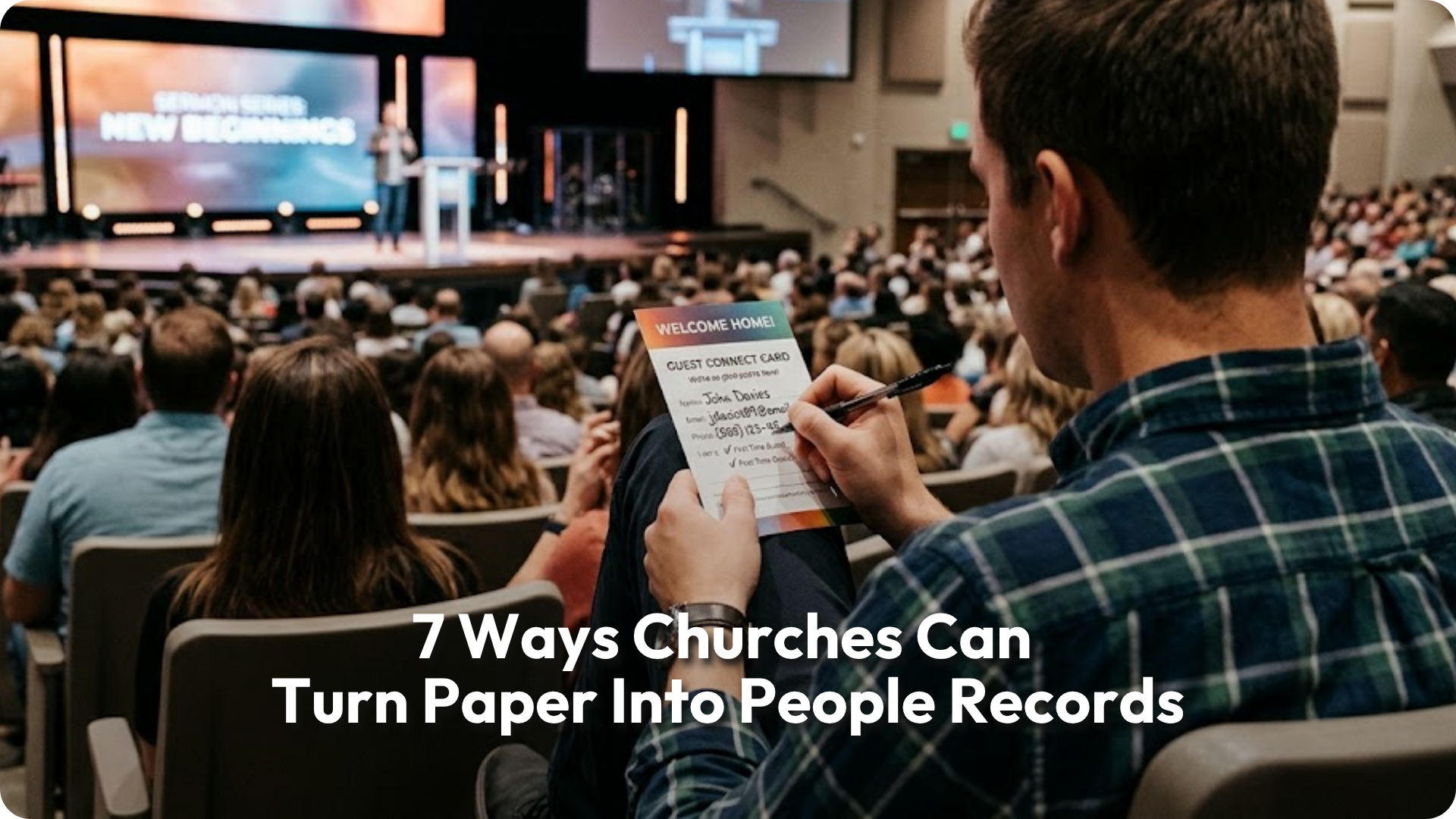
This is where it starts. Guests share their name, contact information, next steps, and prayer requests. Connect Card Capture reads each card for your team to review. Cards can be captured for a specific group or event, so a new guest is connected to the right ministry from the start. New people can also be flagged by their point of entry, which makes guest follow-up and reporting easier.
2. Holiday & Event Guest Cards
Easter, Christmas, and big outreach events bring a flood of first-time guests and a stack of cards to match. Instead of a backlog that takes weeks to clear, volunteers can photograph cards with Quick Capture on a phone or tablet right at the welcome table. Capturing them for that holiday keeps your follow-up tied to how each person first connected. Quick Capture makes fast follow-up possible!
3. Baptism Requests & Certificates
A baptism is one of the most meaningful next steps someone takes. When the request or certificate lives only in a filing cabinet, that milestone can go missing from their record. Capturing baptism forms helps your team record the decision and date on the right person, so pastors and discipleship leaders can see it and celebrate it.
4. Membership Class & New Member Forms
Membership classes often end with a paper form: contact details, family members, a signed commitment, and areas of interest. Capturing those forms lets your team update each person’s record and note completed steps without digitizing a stack of paperwork after every class.
5. Transfer Letters
When someone joins from another church, a transfer letter may be part of their story. Capturing the letter helps your team record where they came from and when it was received, alongside the rest of their membership information.
6. Volunteer Interest Forms
Ministry fairs and serve team sign-ups produce cards with checkboxes for greeting, kids ministry, worship, parking, and more. A template that matches your form can turn each checked box into part of a person’s record. Ministry leaders can then find interested volunteers instead of waiting for someone to process a pile of cards and pass it along. A willing volunteer should not be stuck in a stack.
7. Prayer Request Cards
Some people will write down what they would never say out loud. Prayer cards captured into TouchPoint put those requests on the right person’s record, where your care team can respond instead of letting the cards sit in a basket.
How It Works For Any Paper Form
The process is the same whether you are capturing a connect card or a membership form:
- Build a template. Tell TouchPoint which fields your form collects, or upload a photo of a blank form and let TouchPoint suggest them.
- Capture the forms. Upload photos, image files, or a scanned PDF. Each page of a multi-page PDF becomes its own form, so a stack from the office scanner can go in at once.
- Work the Capture Queue. See which forms are ready for review, which have been imported, and which need another try.
- Review & import. Compare each form side by side with what Connect Card Capture read, fix anything that needs it, and add or update the person.
Why A Person Still Reviews Every Form
TouchPoint handles messy handwriting and misspellings well, though no reading is perfect. That is why nothing changes in your database until someone on your team reviews and imports the form.
Anything Connect Card Capture is unsure about is flagged, so reviewers know exactly where to look. Before import, TouchPoint also looks for people who may already be in your database, so your team can update the right record instead of creating a duplicate. When a form updates an existing person, it fills in what is new without erasing information the form left blank.
That balance matters. AI handles the reading; your team keeps the judgment.
Give Your Team Its Time Back
Paper is not going away in most churches, and it does not need to. What matters is how quickly the information on it reaches the people who can act on it. When forms move from a stack on someone’s desk into TouchPoint in a few clicks, your team spends less time typing and more time:
- following up with guests
- celebrating next steps
- caring for people
Where is paper slowing down care in your church right now?
Already a TouchPoint partner? Explore the Connect Card Capture documentation to set up your first template.
Exploring a new church management system? Schedule a demo to see how TouchPoint helps your whole team spend more time on ministry.
Frequently Asked Questions
Yes. Each style of form gets its own template, which tells TouchPoint what information to read. Churches can capture membership forms, volunteer interest cards, and other paper forms the same way they capture connect cards.
It is designed to help prevent them. Before a form is imported, TouchPoint looks for people who may already be in your database. Your team then chooses whether to update that person or create someone new.
No. Connect Card Capture is available to TouchPoint church partners at no additional cost.