

























Updated June 1, 2026
Grade Promotion Settings
TouchPoint Software includes several grade settings to help church partners manage annual promotions. Below is a summary of those settings and how they can benefit your church.
Grade Level Dropdown
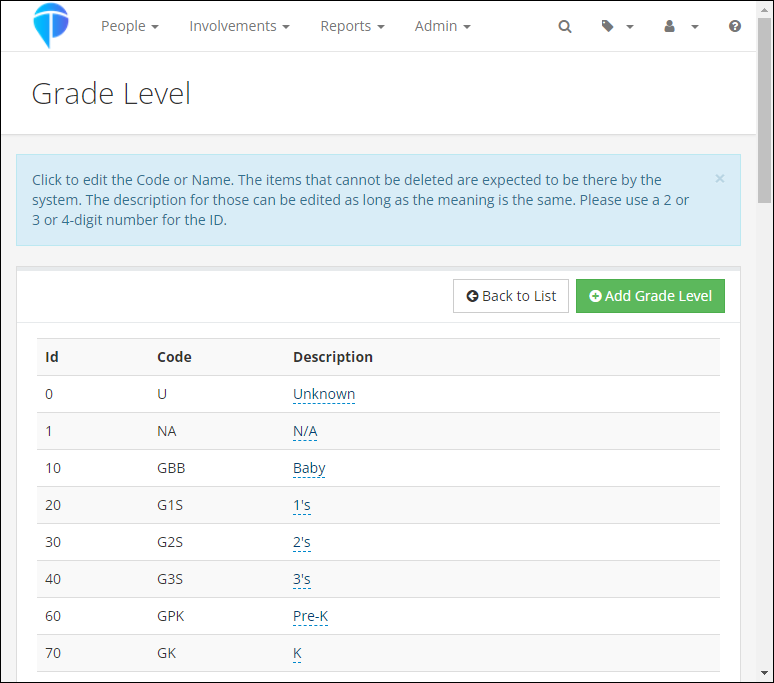
The Grade Level dropdown appears on both Involvements and people records. It includes standard grade levels and supports custom levels through Lookup Codes. To enable custom levels, set Allow New Grade Levels (Admin > Advanced > Settings > System > Administration) to True.
Automatic Grade Promotion
The Grade Update Date setting automatically advances each child’s Grade Level once a year. The default date is July 1st, but you can customize it to match your church’s promotion schedule.
Note: If you set a date that has already passed this year, the promotion will be skipped until the following year.
Two Ways Grade Can Be Set on a Person’s Record
- Registration Form — Grade Options Question
When you add a “Grade” question to a registration form’s Questions tab, the registrant selects their grade during registration. This selection always updates the person’s Grade on their profile, even if they already have one. This is useful for camps, VBS, or any event where you want the parent to confirm the child’s grade. - Join Involvement – Main Fellowship
When an Involvement is flagged as “Main Fellowship” and has a Grade set on its Settings > General tab, enrolling someone in that Involvement will assign that grade to their profile — but only if they don’t already have a grade. This is designed for ongoing class placement (e.g., Sunday School) and works with the annual promotion process.
Key difference: The registration form Grade question overwrites an existing grade; Main Fellowship enrollment does not.
Tips for VBS and Summer/Fall Registrations
- Check Your Grade Update Date: Make sure this setting aligns with your church’s promotion timeline so grades advance at the right time.
- Watch for Double Promotion: When adding a Grade question to a registration form, keep in mind that the registrant’s selection will overwrite their current grade. If a parent selects the child’s upcoming grade (e.g., 11th grade for Fall) and the automatic Grade Update Date hasn’t run yet, the child could be promoted again — jumping to 12th grade. To avoid this, consider asking for the child’s current grade if your Grade Update Date hasn’t passed yet.
- Main Fellowship and New Members: When enrolling new members in a Main Fellowship Involvement that has a Grade on its Settings > General tab, that grade will automatically be added to their profile. This will not overwrite an existing grade on a person’s record.
Download this Yearly Grade and Promotion Checklist to assist with your promotion process.
You can also reach out to Support or refer to these help articles for more detailed information:
Grade Field
Grade
Administrative Settings